the inbox that listens to the people in your life.
lucky reads your imessage and whatsapp the way a close friend would. it catches what people mention in passing, remembers it for you, and comes back with the reply, the plan or the intro already written. you just show up.
free while it's early · needs a mac signed in to imessage · your messages never leave it
it notices.
people tell you things in passing. lucky keeps every one.
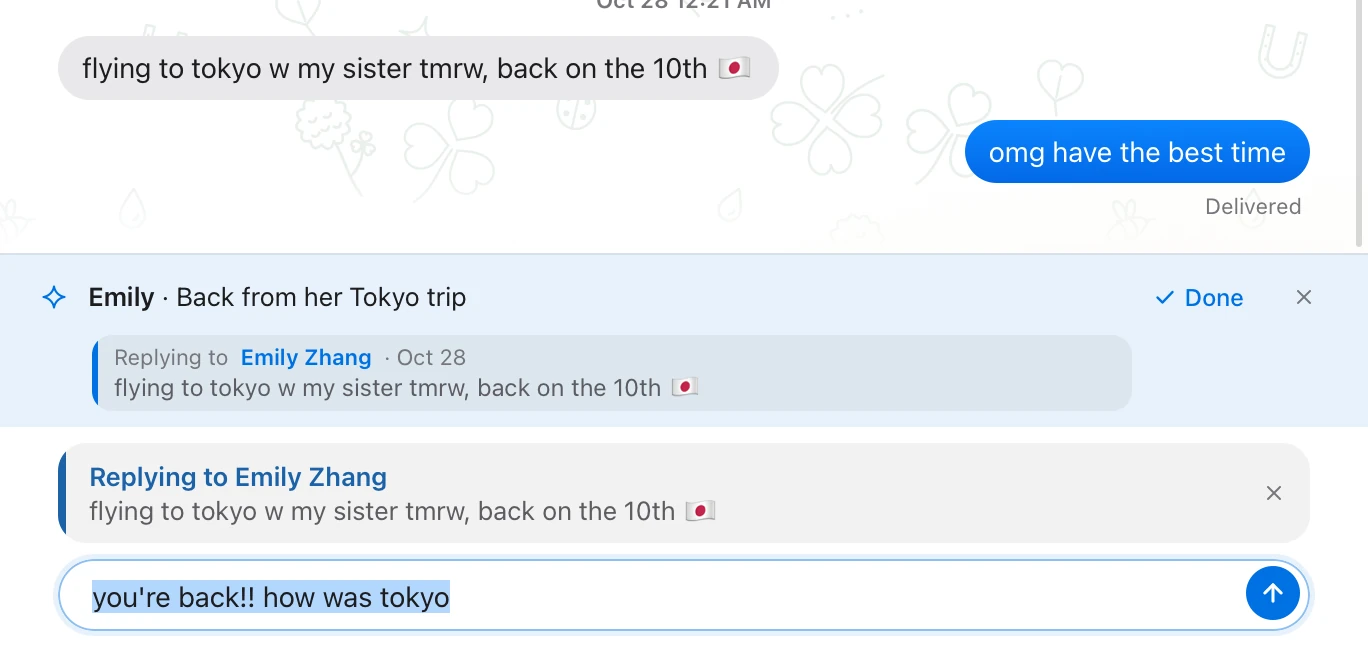
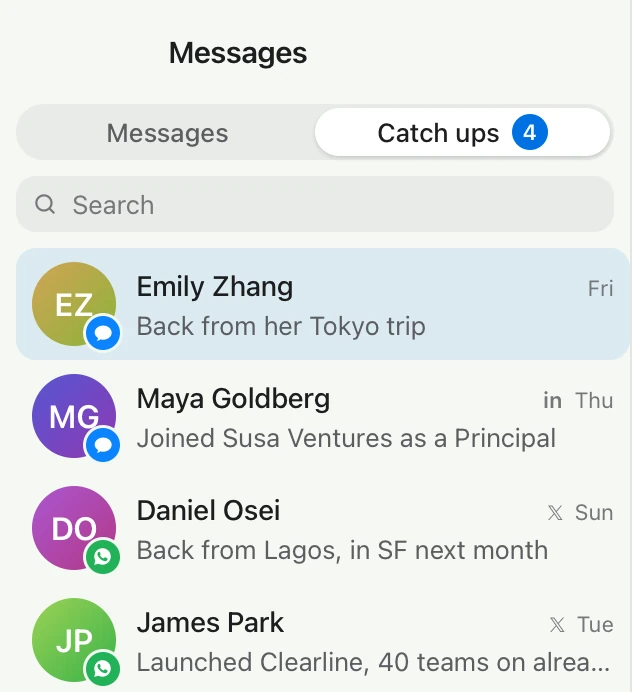
a flight on the 10th. demo day in three weeks. a new job, a rough week, a surgery. none of it lands on your calendar, so it slips. lucky reads your chats for these moments as they're said and brings each one back when it matters: a good luck the night before, a how-was-it after, with the message already written the way you'd write it.
it already knows what you'd say.
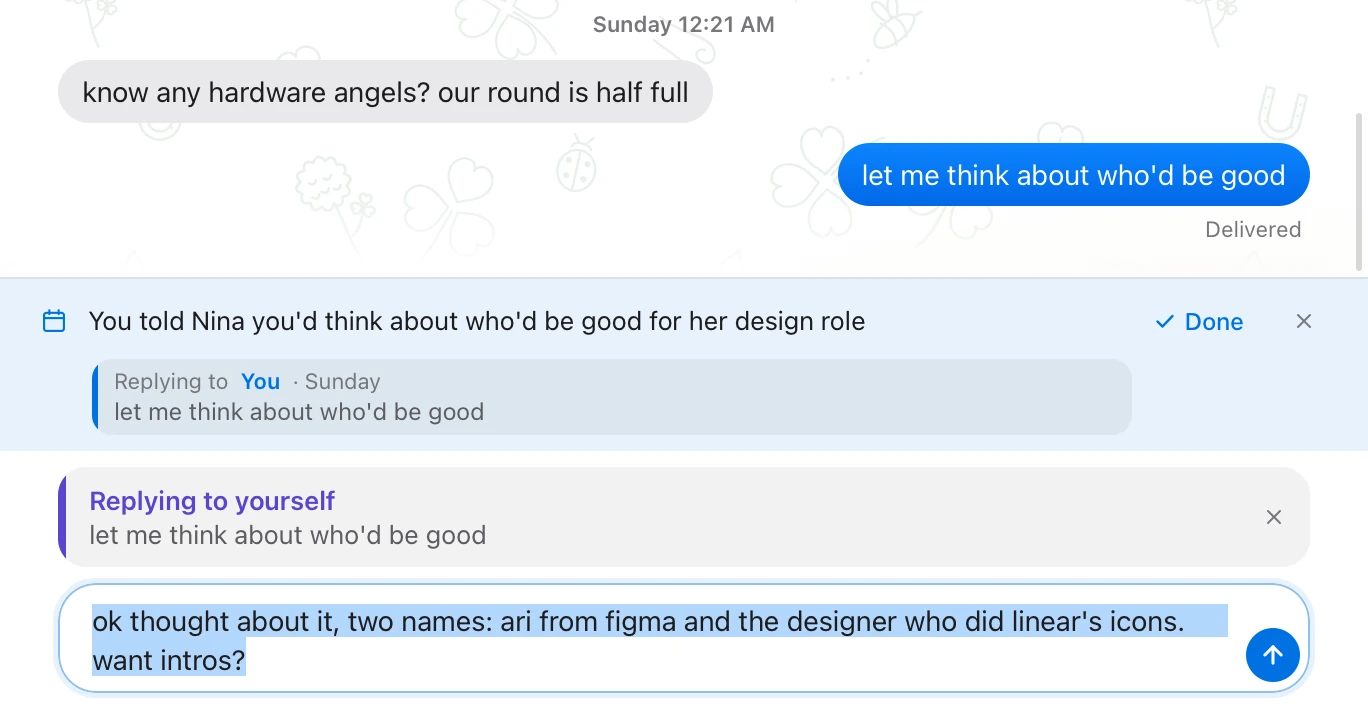
when someone's waiting on you, the reply is already in the box.
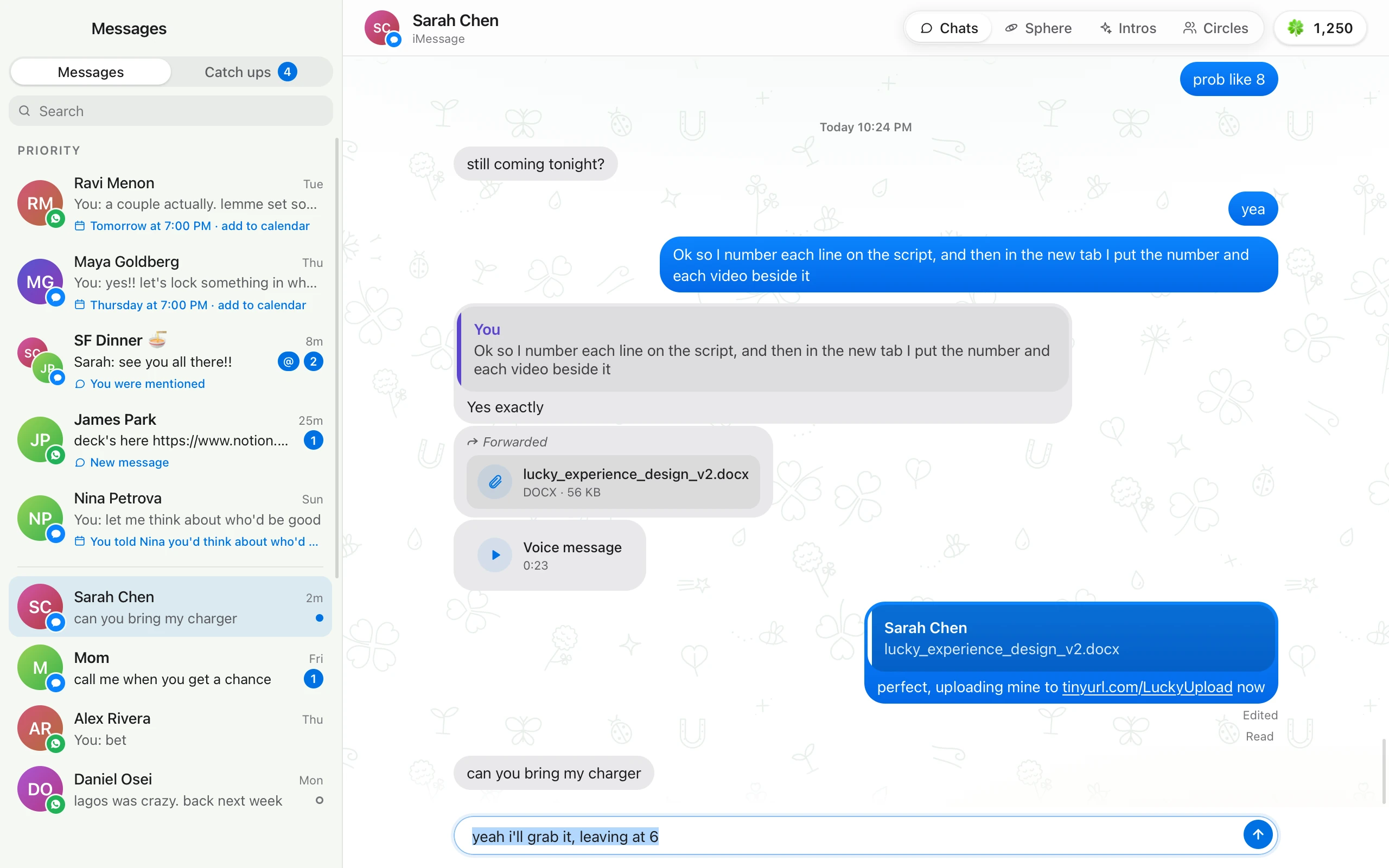
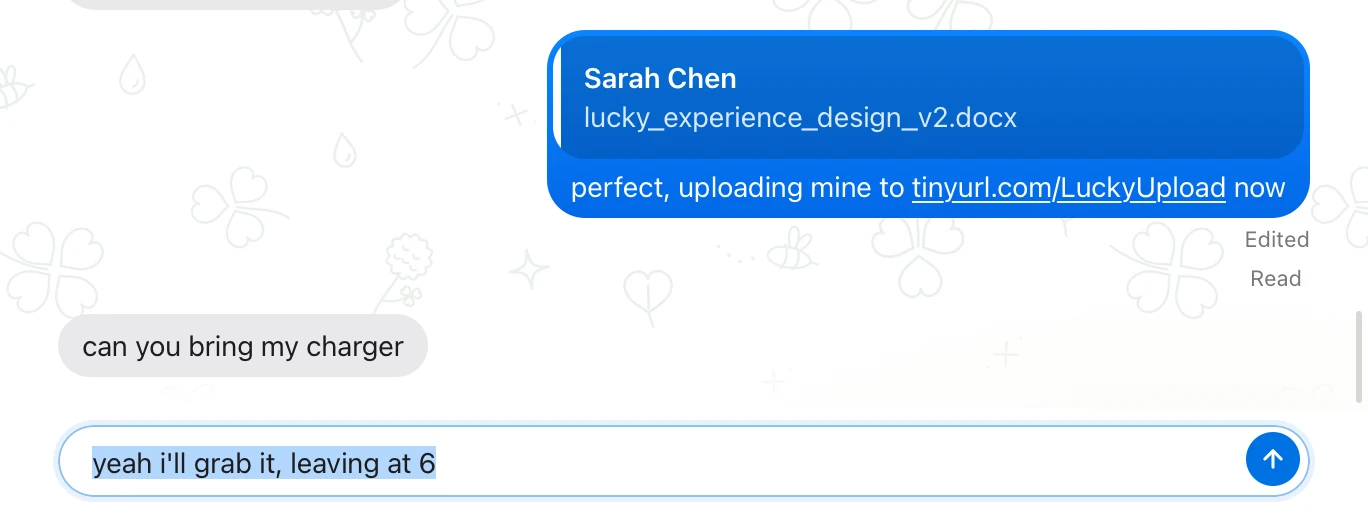
lucky learns how you text each person. how short, how lowercase, which words, how you say yes. when a thread needs you, the reply is typed and selected before you open it. enter sends it. typing replaces it. nothing ever goes out on its own.
it remembers what you promised.
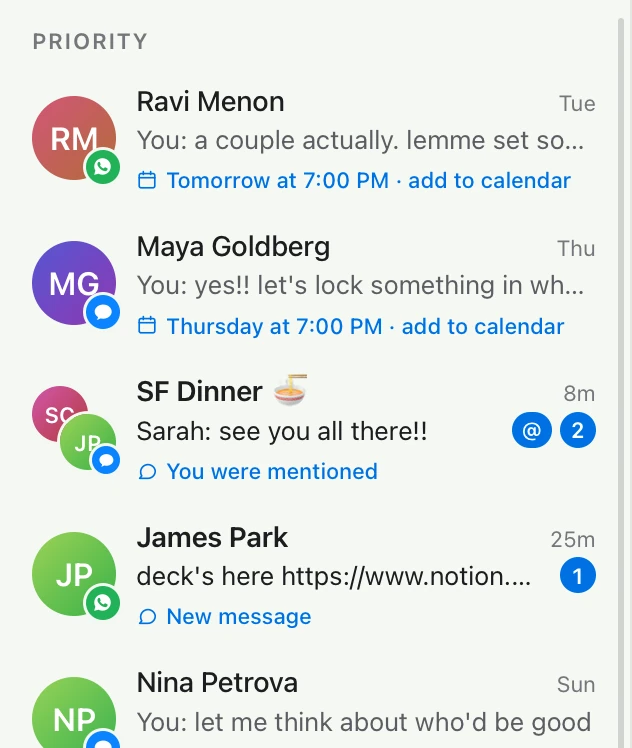
"let me think about it" has a shelf life. lucky keeps it.
said you'd get back to someone? that's priority: the people waiting on you, at the top of your inbox, each with the follow-up drafted and sent as a reply to the thing they asked. the overdue ones, the plans that need a time, the one you were mentioned in.
plans make themselves.
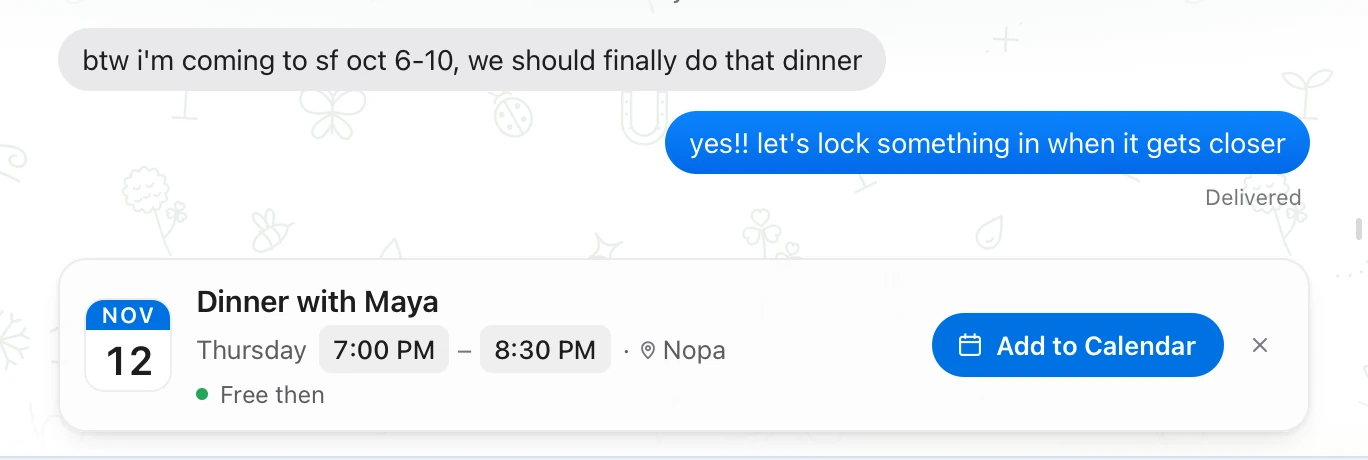
say a time. they say yes. it's on the calendar.
the moment a chat settles on a time, the event is one click, already checked against your calendar. for a call, lucky makes the google meet room and texts them the link in the same click. the time, the place, the person: all read off the chat.
a new number texts you.
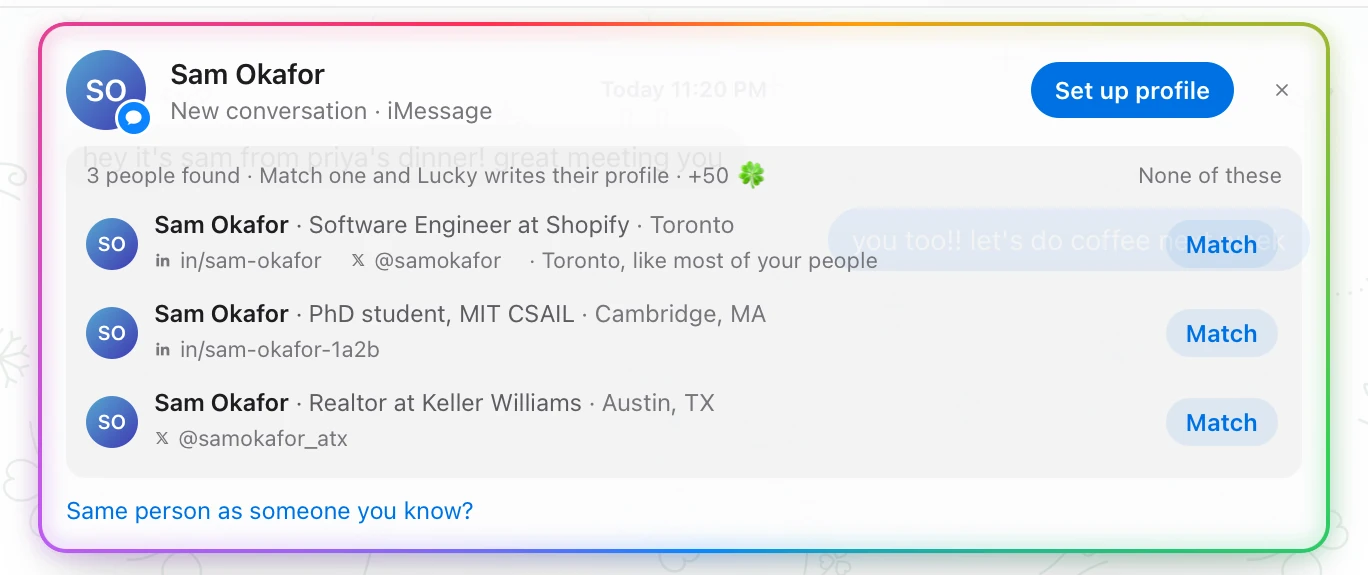
lucky finds who it is.
it reads the chat for clues, finds their x and linkedin, shows you the face, and asks. say that's them and their profile is filled in from then on. if it's someone you already know on the other network, lucky says so and keeps them as one person.
your people, as a world.
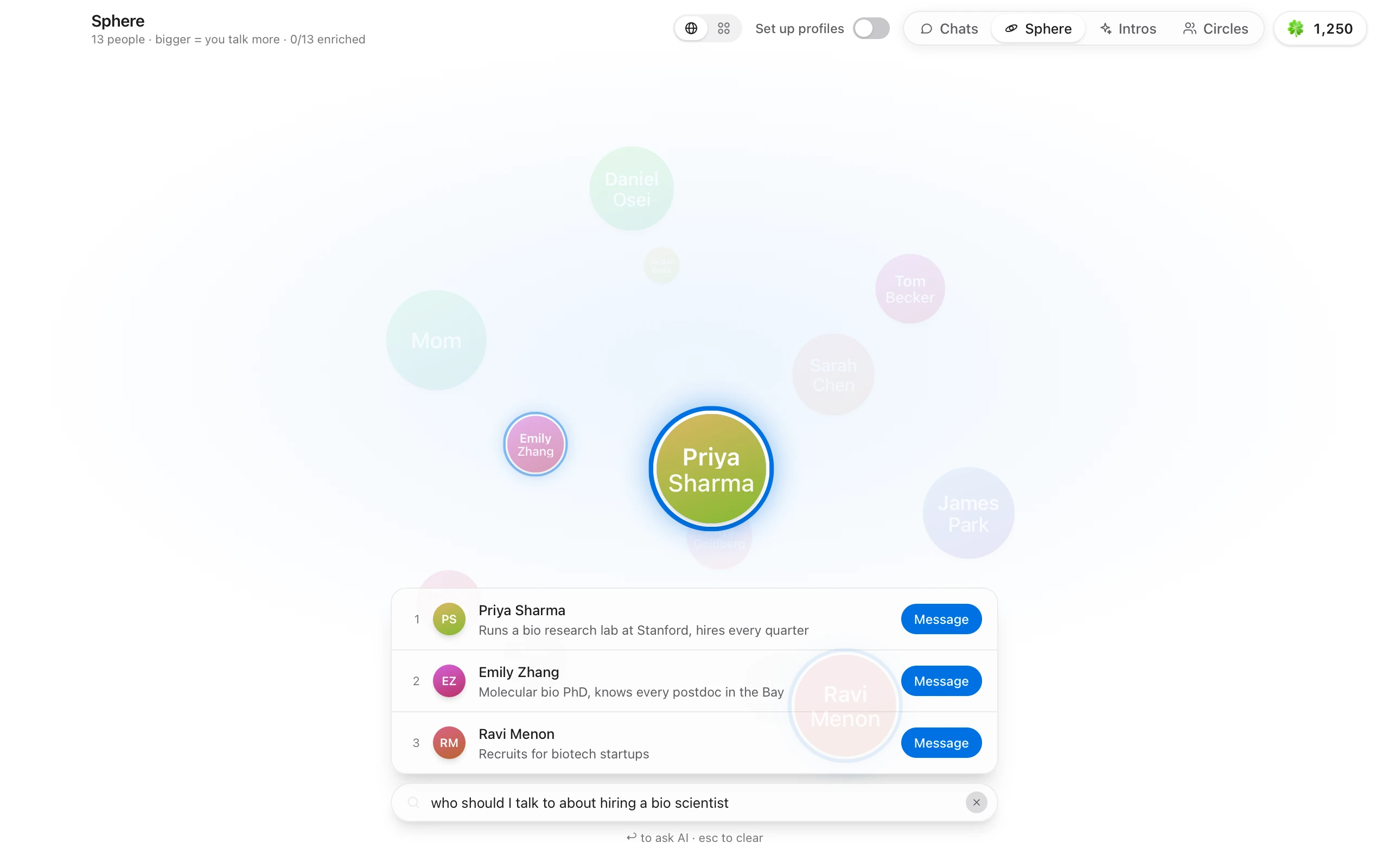
everyone you talk to, on one globe.
the more you text someone, the bigger they are. ask it who to talk to, "who should i talk to about hiring a bio scientist", and the right people light up, each with the reason.
the intro you'd never get around to.
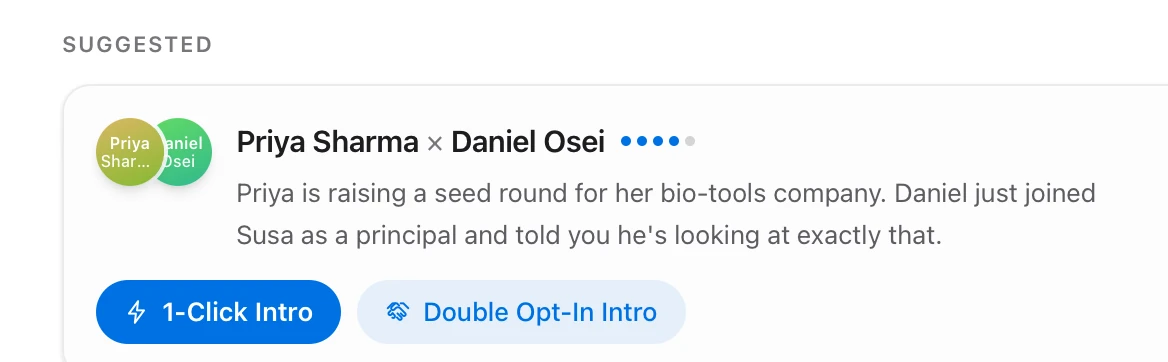
lucky notices who should meet, and makes the intro in one click.
from what people tell you and what they post, lucky proposes intros worth making, with the reason and three drafts in your voice. 1-click intro makes the group chat. or go double opt-in: it asks both sides for you, watches both threads, and lights up when they both say yes.

why lucky
the luckiest people i know aren't lucky. they just remember. they text you the night before the exam. they know who you should meet before you do. they say "let me think about it" and then actually come back.
i wanted that to be the default, not a personality trait. so lucky is an inbox that does the remembering, and leaves you the part that matters: showing up.
it's early, it's free, and i'm building it from my own texts. if something feels off, tell me.
krishiv
on your mac, only.
your messages don't leave the machine.
lucky is a mac app, not a service. it reads the messages this mac already has, and sends through the apps you already use.
imessage, read in place
lucky reads this mac's messages database read-only and sends through messages.app. no apple password ever goes into lucky.
whatsapp as a linked device
scan the code once, like whatsapp for mac. lucky talks to whatsapp directly, with nothing in between.
nothing sends itself
every message is a click or an enter from you. the drafts are suggestions, and you can see each one before it goes.
your own model key
the writing runs on a key you add, kept in your keychain. only the thread being answered is sent to the model, and nothing is used to train anything.
questions
what does lucky actually do?
does it send anything on its own?
what does it need from my mac?
where do my messages go?
how does it know how i text?
what's the sphere?
what does it cost?
get lucky.
the people in your life, and the lines between them. for the mac, free while it's early.